How to Choose a Managed IT Provider in West Palm Beach, FL
Cloud Choice Technologies provides managed IT and cybersecurity services for businesses in West Palm Beach, Palm Beach County, and across South Florida.
West Palm Beach businesses should choose a managed IT provider that can support employees quickly, protect sensitive data, manage cloud tools, reduce downtime, and scale as the company grows. For law firms, medical practices, finance offices, nonprofits, and professional services companies in West Palm Beach, the right MSP should not only fix IT problems. It should help prevent them, strengthen cybersecurity, support daily operations, and give leadership a clearer plan for technology.
If you are comparing managed IT providers in West Palm Beach, here is what to look for before making a decision.
Quick Answer: What Should a West Palm Beach Business Look for in a Managed IT Provider?
A good managed IT provider in West Palm Beach should offer fast user support, proactive monitoring, cybersecurity protection, Microsoft 365 support, backup and disaster recovery planning, vendor coordination, business phone support, and strategic IT guidance.
The best provider should also understand local business needs while having the ability to support growth across Florida or multiple locations.
Cloud Choice Technologies provides West Palm Beach managed IT services for businesses that need reliable support, stronger security, and a more organized IT experience.
When Do West Palm Beach Businesses Outgrow Basic IT Support?
Many businesses start with basic IT support because it seems simple. Something breaks, someone fixes it, and the company moves on.
That approach can work for a very small office, but it becomes risky as the business adds more employees, cloud applications, client data, remote users, compliance concerns, and phone systems.
West Palm Beach businesses often outgrow basic IT support when they start dealing with problems like:
Employees waiting too long for help
Recurring email, computer, or network issues
Poor visibility into cybersecurity risks
No clear backup or recovery plan
Confusing vendor problems
Slow onboarding for new employees
Phone or internet issues disrupting work
Leadership not knowing what IT improvements should come next
At that point, the business does not only need a technician. It needs a managed IT provider that can take responsibility for the full technology environment.
What Should a Managed IT Provider in West Palm Beach Handle?
A managed IT provider should help keep your business running, not just react when something breaks.
For most West Palm Beach businesses, that means support for:
Employee help desk requests
Computers, servers, and networks
Microsoft 365 and email
Cloud applications
Cybersecurity tools
Backup and disaster recovery
Business phone systems
Vendor coordination
User access and permissions
New employee onboarding
Employee offboarding
Security updates and patching
IT planning and budgeting
When comparing managed IT services for Florida businesses, ask whether the provider manages these services together or treats them as separate issues.
That matters because IT problems usually overlap. A phone issue may involve the internet provider. A Microsoft 365 issue may involve security settings. A backup issue may affect disaster recovery. A cybersecurity issue may involve user permissions, devices, email, and cloud access.
A strong MSP should connect the dots.
Why Does IT Support Response Time Matter for West Palm Beach Businesses?
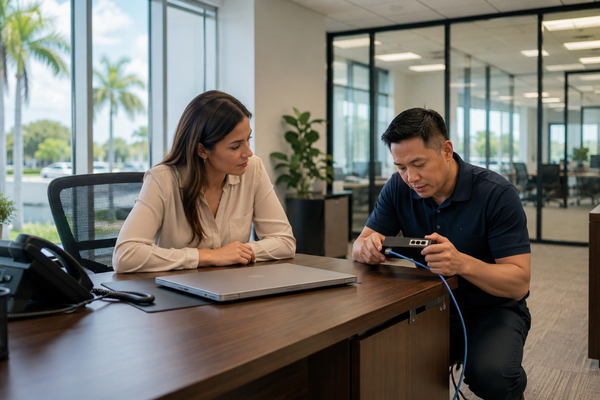
Response time is one of the biggest signs of whether an IT provider is helping or hurting your business.
When employees cannot log in, access files, use email, connect to cloud tools, print documents, or answer business calls, work slows down fast. For a law firm, that can delay client work. For a medical practice, it can affect scheduling or access to patient information. For a finance office, it can interrupt time-sensitive work. For a nonprofit, it can affect donor communication and program operations.
Before hiring an MSP, ask:
How do employees contact support?
Will they reach a live person?
How are urgent issues prioritized?
Is support remote, on-site, or both?
How are tickets tracked?
How are recurring problems reviewed?
What happens if the same issue keeps coming back?
Fast support is important, but the real goal is reliable support. A good provider should respond quickly and also look for the reason problems keep happening.
Why Cybersecurity Should Be Built Into Managed IT Support
Cybersecurity should not be treated like an add-on. It should be part of everyday IT support.
Most business security risks are connected to normal IT decisions. Passwords, user access, email settings, software updates, devices, backups, cloud tools, and employee offboarding can all create risk if they are not managed correctly.
For West Palm Beach businesses that handle client records, financial data, patient information, employee files, or confidential documents, cybersecurity needs to be built into the managed IT relationship from the beginning.
The NIST Cybersecurity Framework 2.0 for Small Business gives small and medium-sized businesses a practical structure for managing cybersecurity risk. The Cybersecurity and Infrastructure Security Agency also provides small business cyber guidance focused on leadership, security program management, and IT responsibilities.
A good MSP should help with:
Multi-factor authentication
Email security
Endpoint protection
User access reviews
Cloud security settings
Backup protection
Security monitoring
Employee security awareness
Incident response planning
Cloud Choice Technologies provides cybersecurity services for small businesses designed to help businesses protect users, systems, cloud applications, sensitive data, and daily operations.
What Questions Should You Ask Before Hiring an MSP?
Before choosing a managed IT provider in West Palm Beach, ask questions that show how the provider actually works.
1. How quickly do you respond when employees need help?
Avoid vague answers like “as soon as possible.” Ask how support requests are handled, how urgent issues are prioritized, and what users should expect.
2. Do you provide local and remote support?
Most issues can be handled remotely, but local support still matters when hardware, networking, office setup, or on-site troubleshooting is needed.
3. How do you handle cybersecurity?
Cybersecurity should be part of the provider’s normal process, not something only discussed after an incident. The FCC Small Biz Cyber Planner is another helpful resource that shows why small businesses need a clear plan for protecting systems, data, and users.
4. Do you support Microsoft 365, cloud tools, phones, and backups?
Your business depends on multiple systems working together. Your IT provider should understand the full environment.
Cloud Choice Technologies also supports business phone systems for growing companies and data backup and disaster recovery services, which helps businesses manage critical systems through one experienced provider.
5. How do you help us plan ahead?
A good MSP should help leadership understand upcoming risks, needed upgrades, security improvements, and technology decisions before they become urgent.
6. What will the transition look like?
If you are replacing your current IT provider, ask how the new provider will review your systems, document your environment, secure access, and reduce disruption for employees.
Why West Palm Beach Businesses Need Local and Scalable IT Support
Local support matters because West Palm Beach businesses often need help from a provider that understands the area, the pace of local business, and the needs of professional offices across Palm Beach County. Cloud Choice Technologies supports businesses across its service areas in Florida and beyond, including West Palm Beach, Palm Beach County, the Treasure Coast, and South Florida.
A local MSP can be especially valuable when your business needs:
On-site support
Office setup help
Network troubleshooting
Local vendor coordination
Support for nearby employees
Faster communication with leadership
At the same time, your provider should not only fit where your business is today. If you plan to hire more employees, open another location, expand across Florida, or support remote workers, your IT provider should be able to scale with you.
The best fit is often a provider that combines local availability with broader support capabilities.
When Should You Switch IT Providers?
Many businesses wait too long to switch IT providers because they want to avoid disruption. But staying with the wrong provider can create more problems over time.
It may be time to switch if:
Employees complain about slow support
The same issues keep coming back
Your provider only reacts when something breaks
Cybersecurity feels unclear
You are not confident your backups are working
Your provider does not explain problems clearly
Your business has grown, but your IT support has not
You do not have a clear IT plan
You are managing too many technology vendors yourself
A good IT transition should be organized, documented, and handled carefully. The right provider should review your current environment, identify risks, prioritize urgent issues, and help employees adjust without unnecessary disruption.
Why Backup and Disaster Recovery Should Be Part of the Conversation

Backups are not only an IT checkbox. They are part of business continuity.
If your systems go down, your business needs to know what data can be restored, how long recovery may take, and which systems need to come back first. Ready.gov recommends that an IT disaster recovery plan be developed alongside a business continuity plan, with recovery priorities based on business impact.
For West Palm Beach businesses, this is especially important because downtime can come from many sources, including cyber incidents, hardware failure, internet outages, vendor issues, severe weather, or human error.
A managed IT provider should be able to explain:
What is backed up
How often backups run
How backups are monitored
How restores are tested
What happens during an outage
Which systems are most critical to recover first
This is where data backup and disaster recovery services should be connected to your overall managed IT and cybersecurity strategy.
FAQ: Choosing a Managed IT Provider in West Palm Beach
What is the difference between IT support and managed IT services?
IT support often reacts to problems after they happen. Managed IT services usually include ongoing monitoring, help desk support, cybersecurity, backups, vendor coordination, and planning.
How do I know if my business needs a new MSP?
You may need a new MSP if response times are slow, problems keep repeating, cybersecurity is unclear, backups are not verified, or your provider is not helping you plan ahead.
Should I choose a local MSP in West Palm Beach?
A local MSP can help with on-site needs, faster coordination, and better support for nearby employees, while still giving your business room to grow across Florida.
Choosing the Right Managed IT Provider in West Palm Beach
The right managed IT provider should make technology easier to manage, not more frustrating.
For West Palm Beach businesses, that means choosing a provider that can support employees, protect data, manage cloud tools, reduce downtime, coordinate vendors, support phones and backups, and help leadership make smarter technology decisions.
Cloud Choice Technologies helps businesses in West Palm Beach and across South Florida improve IT support, strengthen cybersecurity, and create a more reliable technology environment.
If your business is comparing MSPs or wondering whether your current IT provider is still the right fit, Cloud Choice Technologies can help you evaluate your environment and plan the next step.
Schedule a conversation with Cloud Choice Technologies or start with a Cyber Risk Analysis to better understand where your business may be exposed.